
The start page
The start page is where you choose what to work on. It has the logo, one tile per area and nothing else: no rail, no menu.
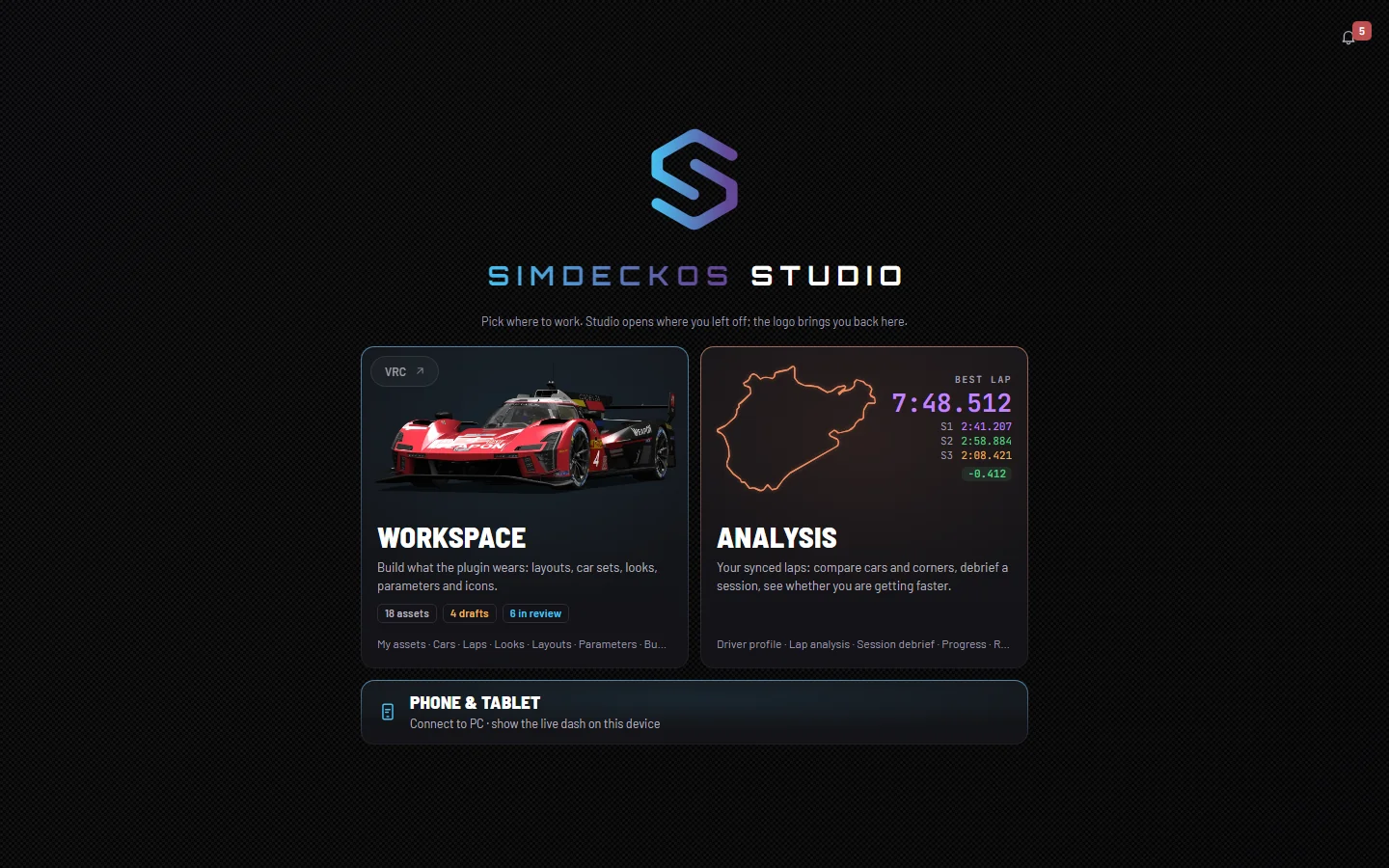
The tiles
Each tile is one area of Studio. It says what waits there, and under that, in one quiet line, it lists the area's pages. Press the tile to open the area at its first page.
- Workspace is where you build what the plugin wears: layouts, car sets, looks, parameters and icons. Once your assets have loaded, the tile counts them, for example 12 assets, with 2 drafts and 1 in review when there are any.
- Analysis holds your synced laps: compare cars and corners, debrief a session, see whether you are getting faster. It comes with Pro. On a free account the tile wears a PRO mark and reads "Analysis comes with Pro; you can look around first." See Account and plans.
On a phone the tiles are compact, so at least two fit on the screen, and the line of pages is left off.
Phone & tablet
On a real phone or tablet a small Phone & tablet tile sits under the others: Connect to PC, to show the live dash on that device. It does not appear on a desktop, even one with a touch screen. Connect to PC explains the pairing.
Coming soon
Before the SimDeckOS release the tiles say Coming soon in place of their pictures and do not open. The line over them reads "Studio opens with the SimDeckOS release. This is what is coming." Every other page sends you back here until then.
Coming back to start
Studio opens where you left off: the page you were on last time is the page you land on. The start page is one press away from anywhere:
- On a desktop, press the logo at the top of the rail.
- On a phone, press the small logo mark beside Menu in the header.
If you are in an editor with unsaved changes, Studio asks before it leaves.
Inside an area
Once you are in an area, the rail on the left shows that area's pages and nothing else. To reach the other area, go back through the start page.
- Workspace lists My assets, Cars, Laps, Looks, Layouts, Parameters, Bundles, Icon packs and Profiles, then Submit to Library under a small Library caption.
- Analysis lists Driver profile, Lap analysis, Session debrief, Progress and Benchmarks.
The button at the foot of the rail, Icons only, folds it down to its glyphs; Show labels brings the names back. Studio remembers your choice in this browser. Your account sits at the foot of the rail too.
On a phone
The header has Menu (the ≡), which slides the same rail in from the left. Along the bottom is a menu with every page of the area in one row. When there are more than fit, it scrolls sideways, and the page you are on is brought to the middle. Submit to Library is an action rather than a page, so it lives in the ≡ menu only.