SimDeckOS
Installer soon Sign in Notify me
PluginRace ControlStudioLibraryPricingDocsFAQ Sign in Notify me

SIMDECKOSPLUGIN

Build it once. Race it everywhere.

Turn your Stream Deck into the button box you always wanted, then let the same setup light up a supported wheel, in every sim SimDeckOS reads.

  • Free to use
  • Works with 10 Stream Deck and Ulanzi decks
  • Needs SimHub and a free account
Notify me Coming soon

The installer is not public yet. One email when it is.

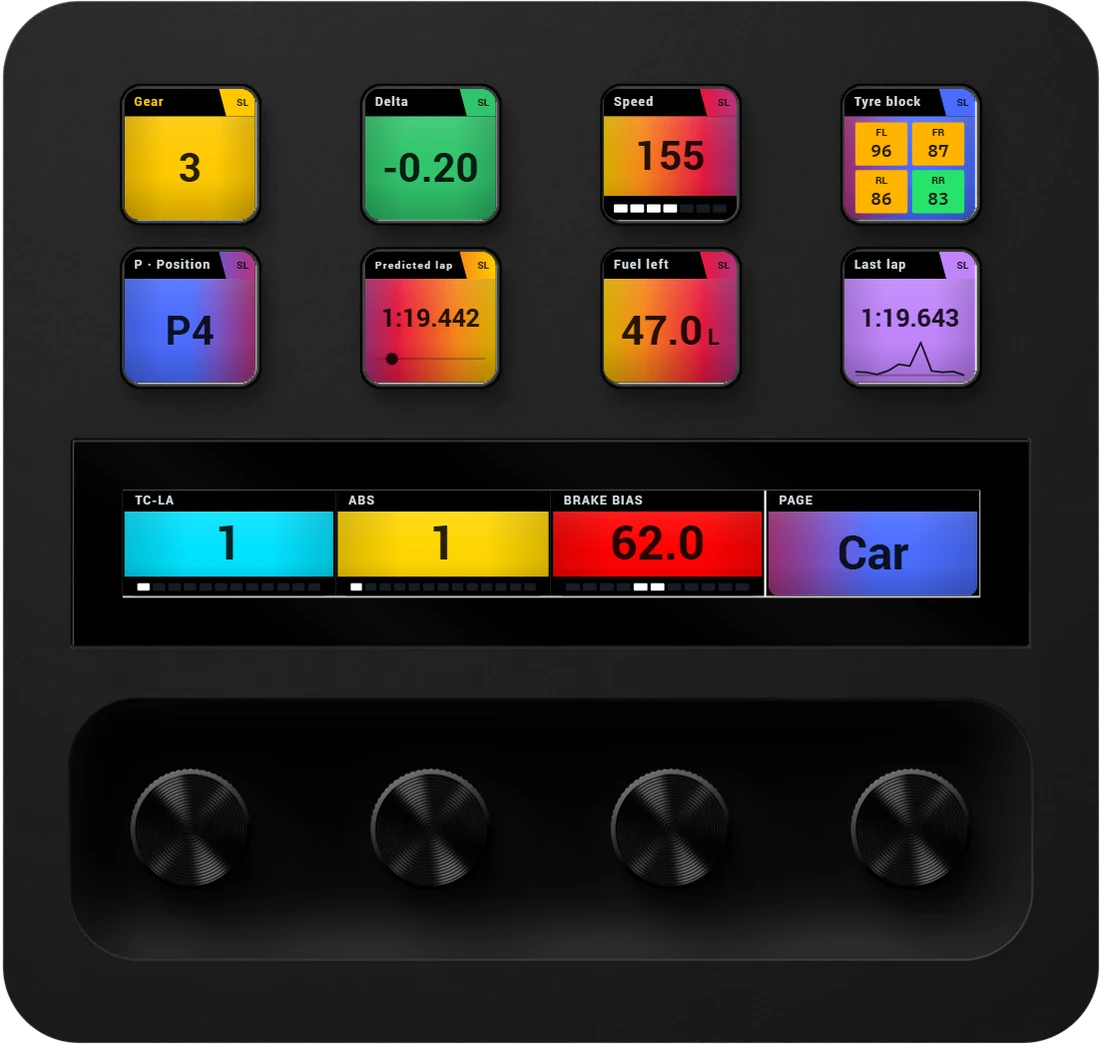
A Stream Deck + wearing a SimDeckOS layout: gear, delta, speed, tyre temperatures, position, predicted lap, fuel and last lap on the keys; TC, ABS, brake bias and the page on the dials
Plugin render on recorded telemetry: a Stream Deck + wearing a SimDeckOS layout through a Porsche 911 GT3 R lap of Salzburgring. Every key and dial is drawn by the plugin.
13Devices
5Sims read, +6 early
3Sims it controls
90Commands into the game
€0Club

Pages, shift lights
and the wheel.

Every picture here is the plugin's own render, playing a recorded lap: the keys, dials and strip your deck draws, unless it says illustration.

A Stream Deck XL split into three bands; band A, the controls, turns to its second page and back while the lap and tyre bands keep playing

Pages that arrive when you need them

As many pages per device as you like. A page can come by itself when the pit limiter, the pit window or a flag brings it forward, and a wide deck splits into up to three bands, each on its own page.

Plugin render, recorded lap: a Stream Deck XL layout over a Lamborghini Temerario GT3 at Salzburgring. Band A brings its Pit Console page forward every 6 s (outlines added).
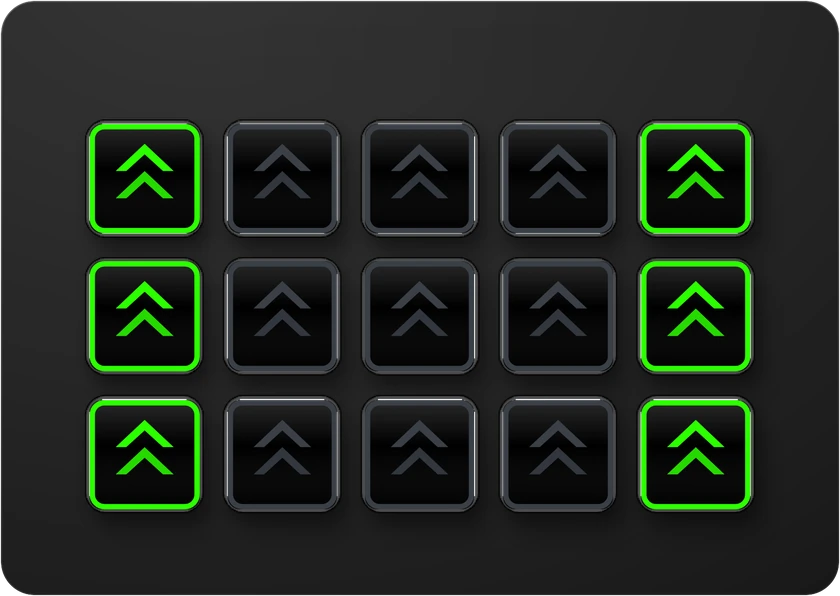
A shift-light page on a Stream Deck MK.2: the strip fills from both ends towards the middle through each gear and flashes at the shift point

Shift lights and beacons

Place shift-light or beacon keys side by side and they form a strip, lit by each car's own shift set.

Plugin render, recorded lap: the Porsche 911 GT3 R's own shift set at Salzburgring, flashing at the shift point. Any key or wheel button can wear it and keep its job Pro

The same set, on the wheel

The rev lights fill with the car's own shift set, the side LEDs carry the beacons, each knob ring shows where it is set. One setup lights the deck and the wheel together.

Plugin render + illustration: the MOZA KS Pro's lamps, coloured frame by frame from what the plugin sent over a Porsche 911 GT3 R lap of Salzburgring. The screen is the plugin's dash render, in its own font.

Set it up once.
Not three times.

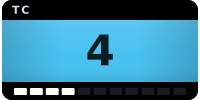
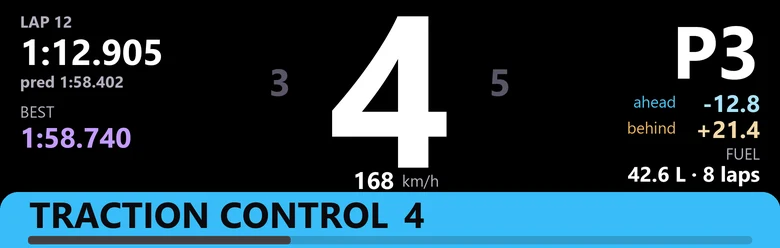
Lighting profiles usually stop at the LEDs: the buttons are bound in another tool and the screens set up in a third. In SimDeckOS, TC is one parameter. It knows what it reads in every sim, what it sends to the game, its states and its colour. Put it anywhere and all of that comes with it. Press the demo: one value, four places.

The control, the value and the light are one parameter

TC 4
  1. A Stream Deck + keyPlugin render

  2. A Stream Deck + dialPlugin render

  3. Your wheel’s encoder ringIllustration

  4. MOZA wheel dashDash render

Press + or −. The key and the dial are drawn by the plugin itself; the dash is the MOZA dash SimDeckOS ships, rendered by the plugin's dash tool (its font, not the glass's); the knob is from the plugin's drawing of the wheel, so it is an illustration.

  • Car settings: one per real car, in every sim.They hold the real car's values for each game: shift points per gear, colours, beacons and the car's own parameters. They map themselves onto the lights your wheel or deck actually has.
  • Keys that change the game.In Assetto Corsa, iRacing and Le Mans Ultimate, keys can send 90 commands straight into the sim. Everywhere else each key sends the output you set once for the rig: Control Mapper, a keyboard key or a vJoy button.
  • It switches by itself.Profiles change the rig with the game, the class and the car. No button to press mid-race.
  • Lights land where they sit.Place your devices on a photo of your rig once. Shift lights go to the wheel, side lights to its side LEDs, beacons to the side you choose.

Every value,
drawn its own way.

A number with its bar, a state with its label and colour, a time, a delta in green and red: each parameter is drawn by its kind, in its own colours.

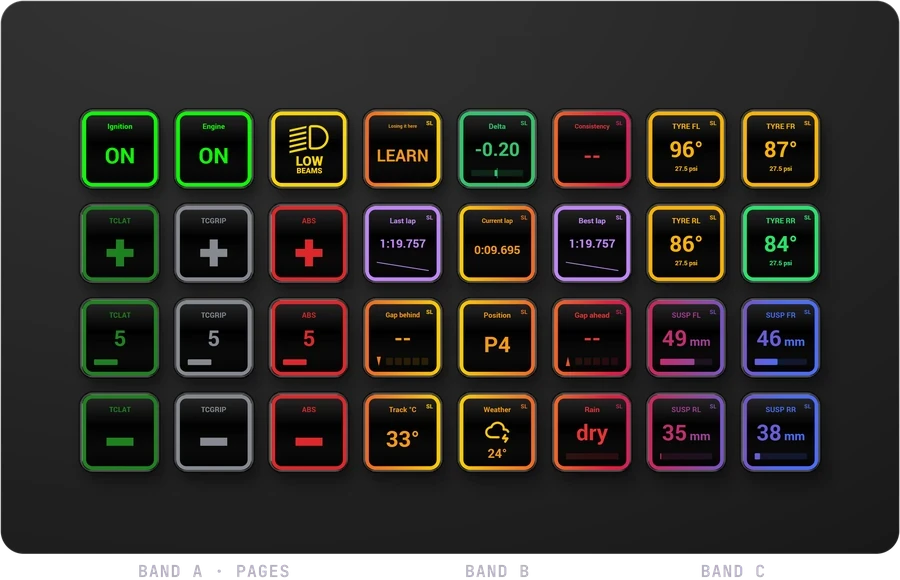
A Stream Deck XL with thirty-two SimDeckOS keys playing a lap: numbers, states, bars and times, each in its own colours

ParametersStream Deck XL

Every value, its own way of showing

Thirty-two keys over one lap: numbers, states, bars and times, each parameter in its own colours, all reading the same telemetry.

Values the lap didn't record (tyre wear, gaps, position, weather) are example values. Drawn by the plugin over the owner's own 1:37.589 lap in VRC Cadenza V at Monza.

  • One catalogue for every sim.145 values, each looked up by name in whichever game is running. Pick Delta to best once and it reads right in every sim that reports it.
  • States, not only numbers.Ignition, a flag or the wiper as states, each with its label, colour, icon and blink.
  • Drawn by its kind.15 kinds: a delta is a plus-or-minus bar, tyres are four corners, a lap time is a time.
  • Change it once.Rename it or recolour it, and every key, dial and LED carrying it follows.
  • A health dot.Says when a parameter has no source or isn't placed yet, with the fix beside it.

Drag it on.
It goes live.

Drag a parameter onto a key, a dial or the strip and it plays. A click-through overlay puts your deck over the game.

The drag is an animation and the deck a photo of a Stream Deck +. What lands on it is the plugin's own frames of the GT3 layout's Car page, over a Porsche 911 GT3 R lap at Monza (1:51.243).

Parameters

IgnitionEnginePit LimiterHeadlightsHeadlight FlashWiperGameDRIVETC-LABRAKE BIASFuel MapPAGE
A Stream Deck + with a SimDeckOS layout being built on it, one parameter at a time

The finished Stream Deck +: Ignition, Engine, Pit Limiter, Headlights, Headlight Flash, Wiper, Game, DRIVE on the keys; TC-LA, BRAKE BIAS, Fuel Map, PAGE on the dials.

  • 13 devices today.7 Stream Deck models, 3 Ulanzi decks, PXN GT One, MOZA KS Pro, Simagic GT Neo.
  • 5 sims read natively.Assetto Corsa, Le Mans Ultimate, Assetto Corsa Competizione, Assetto Corsa EVO, iRacing.
  • 6 more, early.rFactor 2, Automobilista 2, RaceRoom, Assetto Corsa Rally, Project Motor Racing, Rennsport: new readers, not yet driven live.
  • The MOZA wheel's screen.For the MOZA KS Pro, SimDeckOS ships its own dash file and streams the same parameters your keys show.

It learns each car
as you drive it.

Shift lights that are right for the car you're in: its own shift points, its own colours, its own flash at the shift. The same car in every sim shares its settings, and a car that wants something different gets it without touching the others.

The Cadenza's own shift lights on the wheel: blue at the ends, white, then yellow at the shift point, flashing above it, driven by the lap's real revs and gear. Its beacon rules light the side LEDs; here the yellow flag blinks them.

The Stream Deck + controls page that rides along with the wheel

Garage · car setsMOZA KS Pro wheel (+ Stream Deck +)

Every car lights up its own way

The wheel's screen is SimDeckOS Rev, the dash SimDeckOS ships, drawn by its dash tool with the tool's sample values (not this lap's) and its own font.

The yellow flag (41–47 s) is scripted to show the beacons; TC, ABS and the pit limiter never fired on this lap. Drawn by the plugin over the owner's own 1:37.589 lap in VRC Cadenza V at Monza.

  • A shift point for every gear.From a Library set, learned as you drive, or read from Assetto Corsa's car files. Until then the car's redline lights the strip.
  • Test sweep.A 10-second rev ramp through the shift lights on your deck, wheel and overlays, with the sim closed.
  • Beacons, free.Rev limiter, pit limiter, TC, ABS, flags, low fuel, lockup, wheelspin and stall, on the wheel's side LEDs or beacon keys.
  • Per-car values.Redline, delta range, low-fuel laps, minimum and maximum, per car and sim. A control the car doesn't have goes dark.
  • Clutch bite point per car.Set it for one sim or the whole car.
  • Strip shows ProWhen the car's own dash shows the revs, the wheel's rev strip can show delta, sectors, gaps or fuel instead.
  • The car's own lights, live ProIn Assetto Corsa with Custom Shaders Patch, the shift lights and beacons the car itself lights go to your wheel and deck as they happen, laid out to fit the LEDs you have.

What the cockpit wears.

Colour themes and key styles across the whole rig. Pick a style and a theme: every key follows.

Speed · Big Numeral · SimDeckOS

Key style
Theme

Every key drawn by the plugin over the driver's own Monza lap. Speed, Gear, RPM, Throttle are the lap's own; delta, fuel, TC and brake bias are example values.

Moments you can see.

A personal best blooms purple across every key, dial and LED, then hands back to your layout. A yellow flag flashes, then keeps breathing on the outer keys and the strip's ends until it clears.

A Stream Deck + playing the plugin's personal best cue over its layout

CuesStream Deck + and the MOZA KS Pro wheel

Moments you can see

Played by the plugin's own cue code at 25 frames a second; the colours are the ones the app gives a best lap and a yellow flag. Drawn by the plugin over the owner's own 1:37.589 lap in VRC Cadenza V at Monza.

When no game is running.

Between sessions the deck turns into a standby screen: the date, the time, your rig and its link on the top row, your game launchers below, and the idle animation running across keys and touch strip.

A Stream Deck + with no game running: the game launchers, time and system keys, with the idle animation running across the keys and the strip

IdleStream Deck +

When no game is running

Shown with idle on every key (one switch on the Idle page; by default idle fills only empty keys). The launchers are the owner's own: Assetto Corsa, ACC, Assetto Corsa Evo and Le Mans Ultimate. Drawn by the plugin over the owner's own 1:37.589 lap in VRC Cadenza V at Monza.

  • 26 moments.From the cold start and the engine firing to a personal best, a car alongside or the chequered flag. Most play in game with Pro; every cue previews free.
  • Animations, free.Lights that play while a parameter is in a state, like a yellow chase while the yellow flag is out.
  • Messages, free.BOX BOX BOX, low fuel or the flag that is out, on the Stream Deck + strip and on your keys.
  • 15 idle patterns.Breathe, sweep, comet, radar and more, across keys, LED buttons, rings and the rev strip.
  • Cockpit styles ProOne choice for the whole rig. Authentic lights only what the real car lights, Race adds what helps you race, Showtime turns everything on. Your own settings stay underneath.

Your race engineer,
on every key. Pro

StreamLogic gives a live delta against your reference lap on every key, dial and strip, and reads your tyres, fuel and pace. Tracks keeps every venue and lap you drove, synced to your account.

The owner's 1:37.589 in VRC's Cadenza V at Monza, recorded by the plugin, against the lap before (1:39.116). Map, sectors and traces come from the same numbers, in step with the deck; the map is the car's own line.

A Stream Deck + with StreamLogic: shift lights on the top row, delta and lap keys, and the touch strip turning through the engineer's screens

StreamLogic · race engineerStream Deck +

An engineer on your deck

Shift lights across the top row, your delta, current and predicted lap on the keys, and the touch strip turning through the engineer's screens: delta, prediction, sectors, fuel, brakes, revs, g-force and the lap.

Delta, prediction, fuel and brake temperatures are example values; the revs, gear, lap time and g-forces are the lap's. A yellow flag is scripted from 41 to 47 s. Drawn by the plugin over the owner's own 1:37.589 lap in VRC Cadenza V at Monza.

S/F S2S3
MonzaVRC Cadenza V0:31.5
Predicted lap
1:39.116
Reference
1:39.116
  1. S1—−0.26
  2. S2—−1.40
  3. S3—+0.14

Speed Throttle Brake Delta to the lap before: up is faster

  • No setup.Your fastest valid lap on each car and track becomes the reference by itself.
  • 18 readouts.On a key, a dial or the Stream Deck + strip.
  • Blocks and key pages.A tyre block or the radar spread over several keys, or a ready-made page sized to your deck.
  • One reference per track.Mod versions of the same layout share it, so one lap gives you the delta on all of them.
  • The engineer overlay.The delta and what the engineer says, in a small window on top of the game.
  • Your laps record on every plan.Each car's best lap per track is free; the history and analysis are Pro.

And the tools
beside the rig.

Small jobs that usually mean another program. They live on the plugin's Extras page, and all but one are free.

  • Tactile for Assetto CorsaRoad, kerbs, bumps, hits, slip and wheel condition for your bass shakers through ShakeIt, worked out for each wheel. Needs Custom Shaders Patch.
  • FFB clippingHow often your wheel is at its force ceiling, over the last 30 seconds and the stint. Assetto Corsa, Assetto Corsa Competizione, Assetto Corsa EVO, Le Mans Ultimate, iRacing and rFactor 2.
  • Triple screensOne click or one key turns on AMD Eyefinity, sets the game's screens, starts it and puts everything back after. RaceRoom, Automobilista 2 and Rennsport. On NVIDIA, set up Surround yourself and it does the rest.
  • FOV calculatorScreen size and distance in, each sim's own number out, with the angle for triple screens.
  • Mapping assistA Stream Deck becomes a board of every output you send, so a game's controls menu can bind them one by one.
  • Game controls ProReads your Assetto Corsa, Assetto Corsa Competizione or Le Mans Ultimate bindings onto the deck and binds the rest, with a backup first. One button.
  • Screenshot splitterA wide screenshot becomes left, centre and right wallpapers, and Set as wallpaper puts them on the triple. Any picture can be spanned or repeated too. Windows.
  • A dash on your phonePaired with a QR code, with a read-only view for a friend.
Go deeperRace calls, classes, replays and the small things that save your evening

It tells you what the race is doing

Race calls Pro
Yellows, full course, green, blue, black, red and penalties, from each sim's own flags. In Assetto Corsa with Race Control's Race Director, its yellows and safety car also light your normal flag lamps, free, and with Pro the engineer calls them.
Multiclass awareness Pro
Your place in class, the class leader and the gaps to your rivals. The engineer says whether the car beside you is a rival, a slower class or a faster one, and warns you when a faster class is closing. In Assetto Corsa it needs Race Control's classes.
Strip screens and the track map key Pro
Standings, Track map, Race, Pace and Stint on the touch strip of a Stream Deck + or + XL, and the whole circuit on one key with you and every car on it.
Yellow ahead: on a key and across the strip.
Illustration of the strip's coloured edge. Press a flag.

It shows you where the time went

Replay and Tracks Pro
Every best lap round the track map: where you lose time, corner by corner against a baseline, for one car or several. It needs a sim that gives a recorded line; iRacing gets a reconstructed path.
A recorded lap Porsche 911 GT3 R (992) · Salzburgring · recorded lap

Speed 181 km/h Throttle 0% Brake 100% Lap 0:22.5

A real recorded lap as the plugin saved it: speed, throttle and brake beside the circuit.

It looks after the small things

A record button
Records the plugin page, or a deck as it sits over the game, to an .mp4 with one press. No other software.
A first-run walkthrough
Checks each link to your device, has you press a key, offers a first layout and shows where everything is. Help can run it again as Take the tour and Check my rig.

Three parts.
One account.

The plugin runs your rig. Race Control starts Assetto Corsa. Studio is the workshop in your browser. One login and one plan, and each passes the others what it knows.

Plugin

in SimHubThis page
  • Runs your decks, wheel and lights in every sim it reads.
  • Drive and Rejoin keys that follow Race Control.
  • Records every session and lap.

Race Control

on your PC
  • Sets up the session: car, track, weather, AI and rules.
  • Starts Assetto Corsa and brings you back when you finish.
  • Shows the result and your licence points.
See Race Control

Studio

in your browser
  • The Car Lab and the Library: what the plugin wears.
  • Analysis of the laps you drive, with Pro.
  • Race Control's debrief opens it with Full analysis.
See Studio

Up and running
in three steps.

From nothing to live values on your deck or wheel. Getting started has every step, and what to do when something isn't found.

  1. Install SimHub

    SimHub is free, and SimDeckOS runs inside it as a plugin. Start it once.

  2. Install SimDeckOS

    The installer adds the SimHub plugin, the Stream Deck companion with a profile for every model, and the Ulanzi Studio bridge.

    With the releaseNotify me

  3. Sign in and press Detect

    Choose SimDeckOS in SimHub's menu, sign in with your free account, then press Detect on Devices. It adds what it finds on USB.

Free is a
real version.

Not a trial and not a demo: Club is a whole working cockpit, free. Pro makes it yours and opens your data. Nothing is deleted if you stop.

Club

One working cockpit, built your way.

€0

Free for as long as you use it

  • All 13 devices, 5 sims read natively (+6 early)
  • Parameters, defined once for every device
  • Unlimited pages, page triggers and messages
  • The cold start, start and stop cues
  • Shift-light and beacon keys; the Car Lab
  • The whole library; one layout per device
  • Your basic driver licence

SimDeckOS · Racing licence

Recommended

Pro

A cockpit per car, made yours, and your data.

€4.99/ month

or €49.99/yr (€4.17/mo) · incl. VAT

  • Several layouts per device, switching by car
  • Looks, your own themes and idle designs, every key style
  • Shift-light and beacon overlays on any key
  • StreamLogic, the race engineer
  • Tracks, Garage history and lap sync
  • Every cue in game; cockpit styles
  • Game controls: your bindings read and the rest bound
  • Full insight: Studio's Analysis

SimDeckOS · Racing licence

Factory

Everything in Pro, plus early builds, priority support and the car recorder.

€6.99/ month

or €69.99/yr (€5.83/mo) · incl. VAT

  • Everything in Pro
  • Early-access builds
  • Priority support and feature requests
  • Car recorder (beta)
  • More laps and ghosts: 50 traced laps, 15 + 15 ghosts per car and track

SimDeckOS · Racing licence

Every plan needs a free account. Checkout opens with the installer.

Be there on day one.

Notify me
A Stream Deck + blooming purple with the plugin's personal-best cue, drawn by the plugin over its layout