
Triple screens
Triples run best in a window as wide as the three screens, without a frame. Fullscreen covers one screen only. Race Control sets that up and puts the window in place when the game starts, so you don’t need a resizing tool.
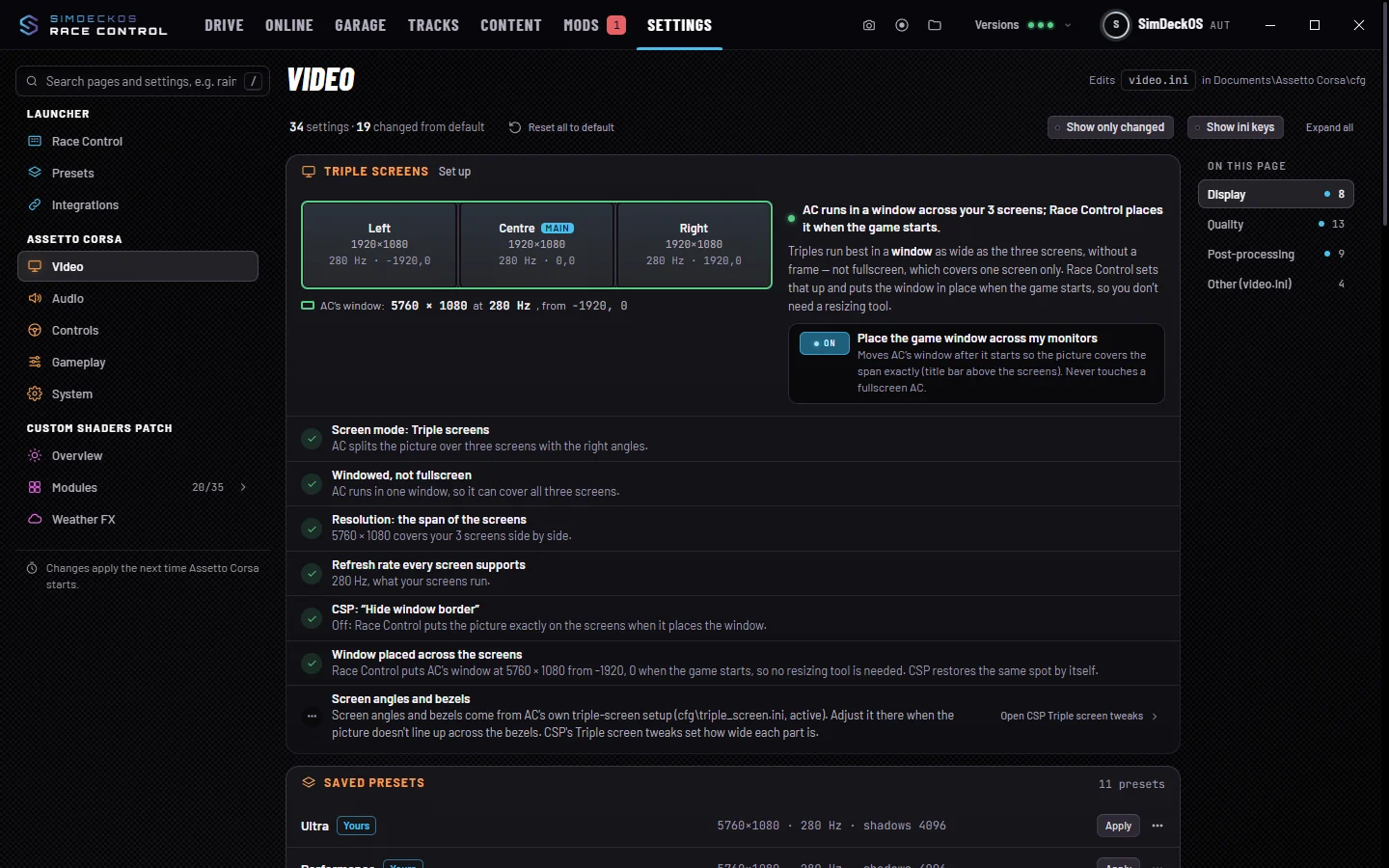
The Triple screens card
It shows on Settings › Video when Assetto Corsa’s screen mode is Triple, or three or more monitors are connected. It draws your monitors and where Assetto Corsa’s window goes, then checks:
- Screen mode: Triple screens;
- windowed, not fullscreen;
- the resolution is the span of the screens;
- a refresh rate every screen supports;
- CSP’s window frame setting;
- the window placed across the screens.
Each one has its own fix; Fix all applies them all. The first change keeps a copy of each file (.racecontrol-bak).
Placing the window
Place the game window across my monitors moves Assetto Corsa’s window after it starts, so the picture covers the span exactly. It never touches a fullscreen Assetto Corsa. If your screens aren’t lined up, line them up first in Windows › Settings › Display.
Angles and bezels
Screen angles and bezels come from Assetto Corsa’s own triple-screen setup and CSP’s Triple screen tweaks. Race Control links to them and doesn’t change them.